
 Open web-app
User Manual / AI Model Setup
AI Model Setup
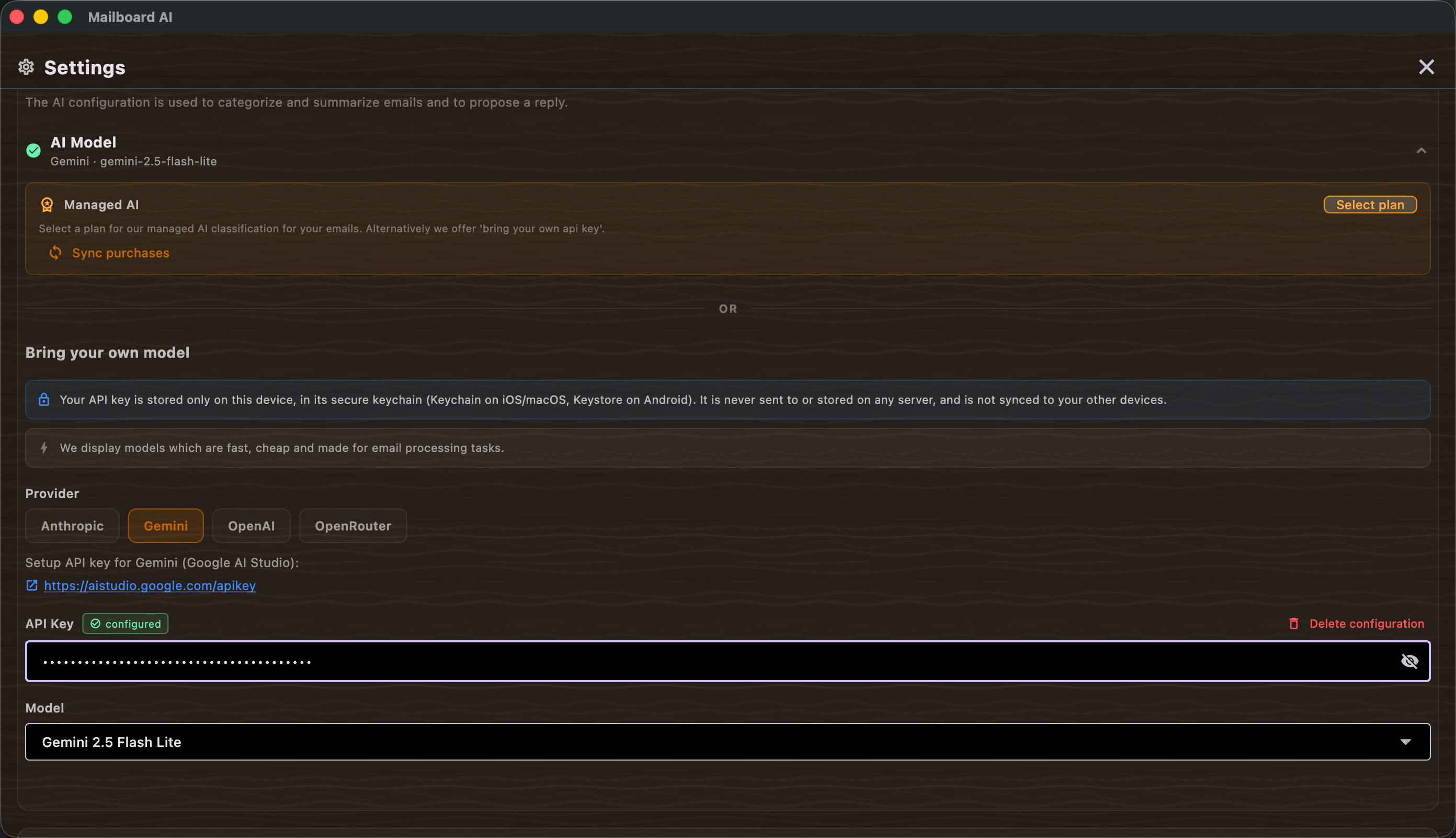
Summary
AI does the heavy lifting in Mailboard AI: it classifies every email as important or promotional and drafts emails and replies for you. There are two ways to provide that AI. Managed AI uses our cloud as the backend — pick a subscription plan and everything just works, with daily allowances for classifications and reply drafts. Bring your own model lets you enter an API key for your own provider (Anthropic, OpenAI, Gemini, or OpenRouter), choose a model, and run AI features against your own account. You can test the connection before saving, and switch between the two approaches at any time.
Features
- Managed AI — all AI features use our cloud as backend. Select plan opens the subscription chooser; Sync purchases restores a plan you already bought. See Managed AI plans.
- Usage allowances — managed plans show daily limits for Email classifications and Generated drafts; the board warns you when a daily limit is reached.
- Bring your own model — configure an API key for a chosen provider instead of using the cloud.
- Provider — choose Anthropic, OpenAI, Gemini, or OpenRouter.
- API Key — paste your provider key; a "configured" indicator confirms it is stored, and Delete configuration removes it.
- Model — select which of the provider's models to use.
- Test configuration — runs a live call and reports "Connection test passed" or the error returned.
- Save configuration — stores the setup; a success message confirms AI is ready.
- Skip for now — defer setup; the board shows a "no AI model" banner until you configure one.
Scenarios
Use managed AI (subscription)
- In AI configuration choose Managed AI and tap Select plan.
- Pick a plan and complete checkout (see Managed AI plans).
- If you already purchased on this account, tap Sync purchases to restore it instead.
Use your own API key
- Choose Bring your own model.
- Select the Provider (Anthropic, OpenAI, Gemini, or OpenRouter) and paste your API Key.
- Pick a Model, then tap Test configuration to verify the key works.
- Tap Save configuration. Classification and drafting now run against your account.
Switch providers
- Open AI configuration again.
- Tap Delete configuration to clear the current key, or change the provider/model and re-test.
- Save the new configuration.
Managed AI plans
Choose a managed-AI subscription, compare daily allowances, renew, and sync purchases.