
 Open web-app
User Manual / Summarising a Long Email Thread
Summarising a Long Email Thread
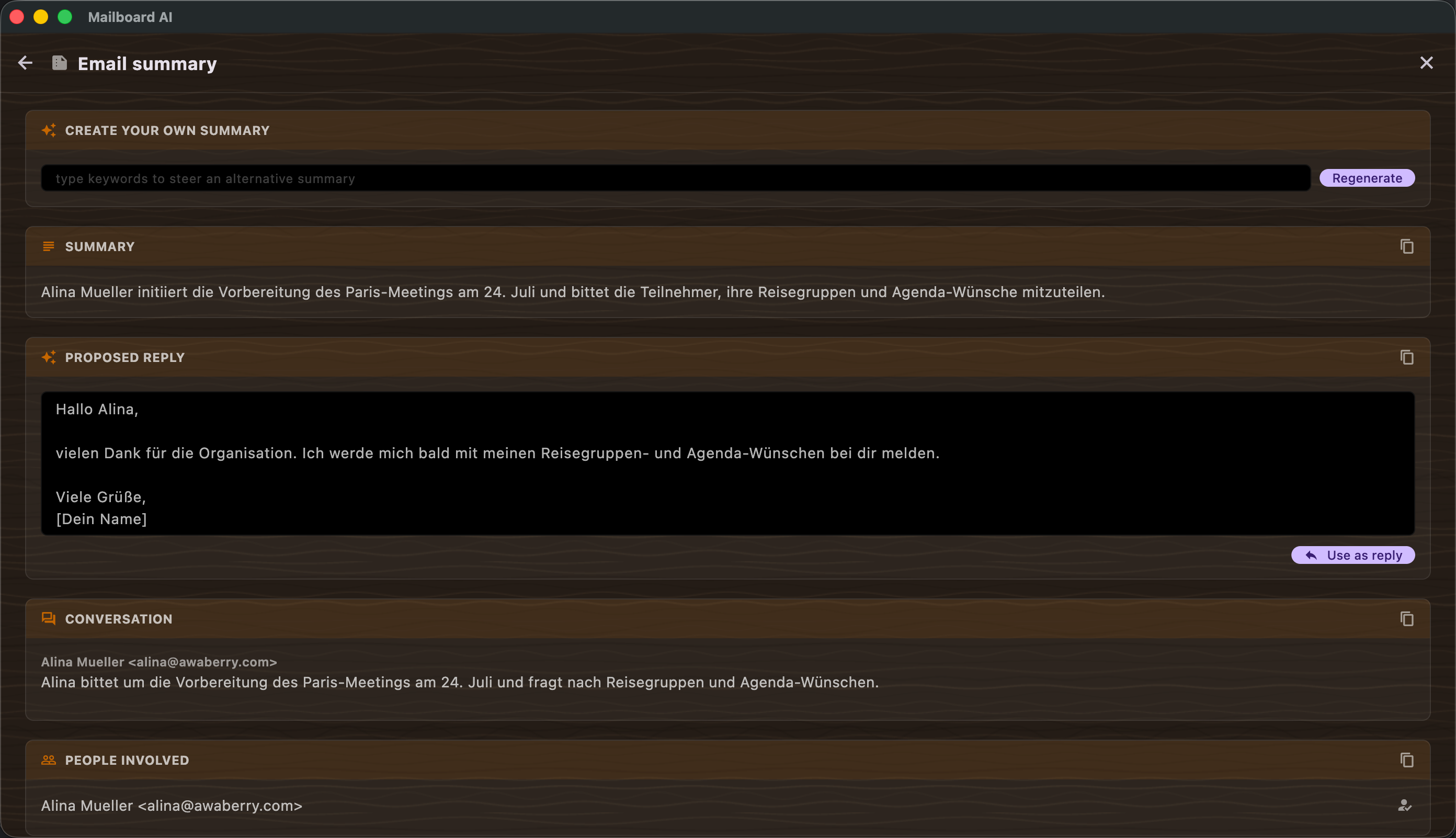
Summary
Long email threads can be hard to catch up on. Open an email from the board and tap Summarize (in the bottom action bar, to the left of Reply) to have AI condense the whole thread for you. The summary view shows an overall summary, a point-by-point breakdown of each message in the thread, the people involved with their email addresses, and a proposed reply you can drop straight into the reply box. Every section is copyable. The result is cached per email, so it is generated once and reopens instantly the next time — no second AI call.
Features
- Summarize button — in an open email's bottom action bar, to the left of Reply.
- Overall summary — one coherent summary of the entire thread.
- Conversation breakdown — each send / reply part summarised in order, with who wrote it.
- People involved — the names and email addresses of everyone in the thread.
- Proposed reply — a ready-to-send reply for the latest message, with a Use as reply button that fills the email's reply field (your signature appended).
- Copyable — every section has a Copy button and selectable text.
- Generated once — the summary is cached per email; reopening it shows the result instantly without calling the AI again.
- Uses your configured AI — runs on your managed plan or your own API key, the same AI used for replies and drafts (see AI Model Setup).
Scenarios
Summarise a thread
- On the board, tap an email sticker to open the message.
- In the bottom action bar tap Summarize (left of Reply).
- Wait a moment while AI reads the full thread; the summary view opens.
- Read the overall summary, the per-message breakdown, and the people involved.
- Use any section's Copy button if you need the text elsewhere.
Reply straight from the summary
- In the summary view, read the Proposed reply.
- Tap Use as reply — the email's reply panel opens with the text already filled in.
- Edit if needed and send.
Reopen a summarised email
- Open the same email again later.
- Tap Summarize — the cached summary opens instantly, with no new AI call.